Key takeaways
- Structured prompting improves every other AI skill for HR professionals.
- Treat AI-assisted screening as a controlled, auditable process.
- Learn the rules before AI influences an employment decision.
- Keep a named human accountable for every consequential output.
If you're deciding which AI skills for HR professionals deserve your limited time, you're not alone. SHRM's State of AI in HR 2026 found that 54% of organizations hadn't adopted AI in HR and had no plans to do so in 2026. At the same time, 92% of CHROs expected AI to become more integrated into the workforce.
The gap represents an opportunity to upskill HR professionals and accelerate AI fluency across HR teams. The question is, with rapidly evolving technology and regulations, where should HR professionals start?
Which AI skills should HR professionals learn first?
Not every AI skill deserves equal attention. The best place to start is with work where AI can create meaningful value without removing the human judgment HR depends on. The below skill ranking uses four practical questions:
- Frequency: How often does this task come up?
- Time: How much time could AI realistically save?
- Judgment: How much human judgment does the task require?
- Risk: What is the downside if AI gets it wrong?
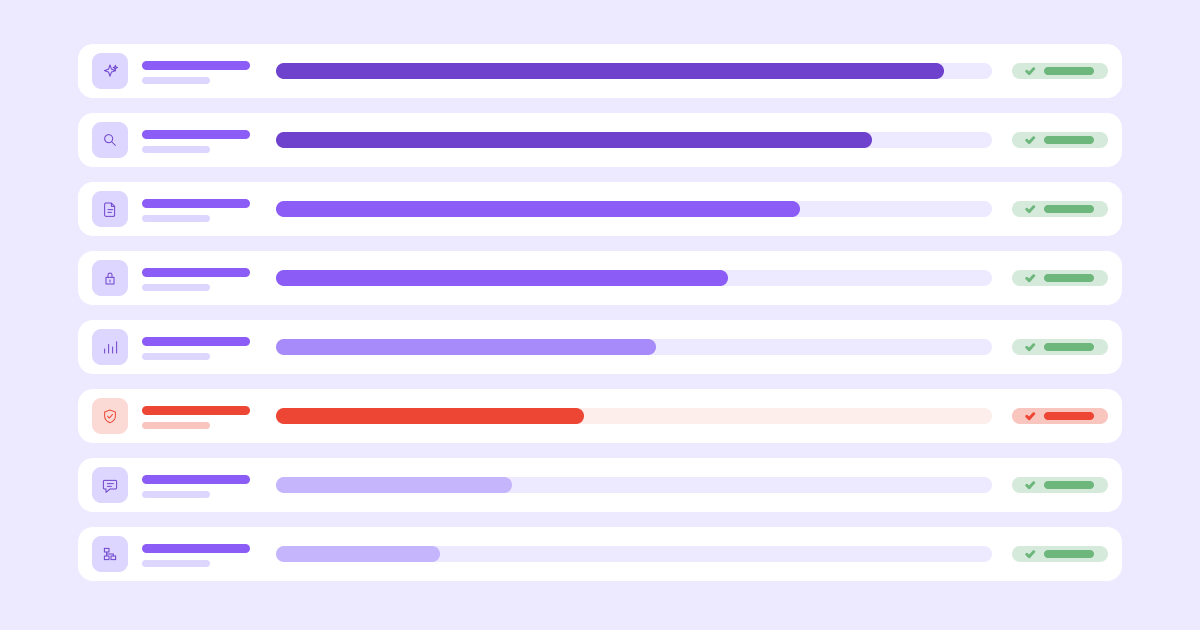
Based on those criteria, here are the top AI skills HR professionals should prioritize:
- Structured prompting for work you repeat every week
- Designing a controlled screening workflow
- Drafting and reviewing HR documents
- Preparing employee data safely
- Running an HR data analysis without code
- Reading the AI employment rules that apply to you
- Scoping a narrow HR assistant
- Designing recurring AI workflows
1. Structured prompting for work you repeat every week
Start with structured prompting because it is foundational and improves every other skill on this list. It also applies to work that's already on your calendar.
A useful prompting framework is CRAFT. It gives your AI tool of choice five things in a clear order:
- Context: What do you need to share about the organization and situation that could change the output of your prompt?
- Role: Who should the AI act as? What "hat" should it wear when answering?
- Action: What exactly should it do?
- Format: What should the answer look like? In what type of output form?
- Tone: How should the answer sound to its intended audience?
For a small example, try: "In my spreadsheet, candidate status is in column D. Write a formula that counts candidates with a status of 'Hired.' Return only the formula." The requested output is unambiguous, so the result should be =COUNTIF(D:D,"Hired").
HR prompts need three additional safeguards:
- Protect people by keeping names, contact details, health information, demographic data, and other sensitive data out.
- Ask the AI to check for assumptions or exclusionary language, rather than assuming that a generic "be unbiased" instruction solves bias.
- Evaluate every output for accuracy, fairness, tone, and legal/policy alignment before anyone uses it.
Here is what CRAFT plus those guardrails looks like for a routine HR communication:
Context: I work in HR at a [company size] [industry] organization in [location/geography]. Managers need a reminder about completing midyear performance conversations by [date]. They already received the process guide linked below.

Role: Act as an HR communications expert writing for busy people managers who prioritize reading emails with stand-out subject lines.

Action: Draft a reminder email that explains the deadline, the two actions managers must complete, and where to get help. Use only the details I provide. Do not invent policy requirements or links.

Format: Write a subject line followed by an email of no more than 175 words. End with a three-item checklist.

Tone: Clear, supportive, and direct. Avoid threats, jargon, and exaggerated urgency.

Guardrails: Flag any missing detail in brackets instead of guessing. Do not include employee names or individual performance information. I will verify the dates, links, and policy language before sending.

Source details:
[Paste approved, nonsensitive details here]
Where to start: Find one prompt you used last week. Rewrite it with all five CRAFT elements, add a fairness or privacy guardrail, and run both versions on the same task. Compare what changed. Once that works, save templates for the five tasks you repeat most often.
If you want guided practice and instructor feedback, our AI for HR Professionals course applies the same discipline to real HR workflows.
[[cta-big]]
2. Designing a controlled screening workflow
Screening-related work ranks second because it recurs frequently. SHRM reports that recruiting is the most common HR practice area using AI, at 27%, followed by HR technology at 21%, learning and development at 17%, and employee experience at 14%.
The skill you will practice is designing a defensible process for an organization-approved tool to assess candidates using a rigorous, defensible rubric. You will: define the job-related criteria, document how each criterion will be assessed, require an output that can be reviewed, and keep a named person accountable for the decision.
A basic evaluation rubric might include:
- The specific must-have qualifications
- The evidence that counts for or against the demonstration of the qualification
- A pass, fail, or needs-review outcome
- A short explanation tied to the stated feedback
- A human-review checkpoint before any rejection or progression decision
Use AI to help make the rubric reviewable, not to make the hiring decision:
Context: We are designing a screening rubric for the [job title] role. Below are the approved job description and hiring-manager notes. This exercise uses fully authorized historical profiles only.

Role: Act as a Talent Acquisition expert specializing in structured interviewing and evidence-based hiring rubrics. You are helping a human hiring team organize job-related evidence consistently.

Action: Turn the stated must-have requirements into a draft screening rubric. For each requirement, identify (1) evidence that would satisfy it, (2) evidence that would not be enough, and (3) cases that need human review.

Format: Return a table with these columns: criterion, job-related rationale, acceptable evidence, insufficient evidence, needs-human-review trigger, and source evidence.

Tone: Professional, neutral, and specific.

Guardrails: Use only the supplied materials. Do not add personality, culture-fit, age, prestige, employment-gap, name, location, or other proxy criteria that could introduce unconscious bias. Do not score, rank, reject, or recommend a candidate. Flag ambiguous or potentially exclusionary requirements for HR and legal review.

Approved materials:
[Paste the approved job description and nonsensitive notes here]
Again, we are not asking AI to 'score' candidates against the rubric. The organization of job-related evidence is different from letting a model score a person's overall "fit." Letting an AI model score a person's overall "fit" can trigger anti-discrimination, accommodation, notice, audit, and recordkeeping obligations. It can also hide bad criteria.
Where to start: Test the generated rubric using 10 fictional or fully authorized historical profiles that have already been decided. Apply the written rubric using an approved tool, then compare the output to the documented human decisions. Investigate disagreements before using the workflow in a live hiring process. If your organization hasn't approved a tool and process for candidate data, stop at the drafting stage of the rubric.
This skill pays off most for high-volume recruiting. It may not justify the setup for low-volume hiring.
3. Drafting and reviewing HR documents
There are several examples of HR documents that are good use cases for AI to support. Job descriptions, candidate emails, onboarding materials, and manager communications occur often enough to make drafting a strong early use case worthwhile. The quality gain comes from pairing the draft with a repeatable review.
For example, before generating a job description, assemble five inputs:
- A short role brief
- A job-related skills framework
- An approved job description template
- A review checklist for exclusionary or unnecessarily restrictive language
- A named human reviewer responsible for operational and legal sign-off
Then ask for a review that shows its work:
Context: I am reviewing an existing job description for [job title]. Our organization operates in [states/jurisdictions]. I will provide the current draft, an approved template, a role brief, a skills framework, and our language-review checklist.

Role: Act as an HR document editor. Help me identify where the draft does not match the approved inputs.

Action: Compare the job description with each source. Flag missing responsibilities, unsupported requirements, vague language, and wording that may discourage qualified applicants. Suggest a revision for every issue, but do not rewrite accurate sections simply for variety.

Format: First, provide a table with columns for draft passage, issue, source used, and proposed revision. Then provide a clean revised draft. End with a list titled "Questions for the hiring manager."

Tone: Inclusive, precise, professional, and plain language.

Guardrails: Use only the supplied sources. Do not claim the document is unbiased or legally compliant. Do not add credentials, years of experience, physical requirements, or working conditions unless the source materials support them. Mark legal or policy questions for qualified human review. Call out any perceived risks or areas that need more clarity.

Materials:
[Paste or attach approved materials here]
After you draft from the role brief, check the result against the brief, template, skills framework, and review checklist. Ask the hiring manager to confirm what the job actually requires. Save the approved description and review record together so you can explain what changed and why.
AI can flag wording for review, but a prompt can't prove that a document is unbiased or legally compliant. It may miss context, invent a rule, or suggest language that doesn't fit your policy. Route legal conclusions and final policy approval, particularly relevant for the locations and jurisdictions you operate in, to qualified counsel or your organization's established review process.
Where to start: Take your most recently published job posting and run the above prompt example. Note every suggested change, whether you accepted it, and who approved the final version. That gives you a reusable review process instead of a one-off draft.
4. Preparing employee data safely
Data preparation is key to responsible AI use and data handling. This skill can become very costly for organizations to skip. It must always come before AI-assisted people analytics.
Rule of thumb: Don't enter sensitive, confidential, or regulated information into any AI tool unless you are specifically authorized to use that type of data in that tool.
Removing a name does not always make data anonymous. A combination of role, location, tenure, dates, or free-text details may still identify someone. For example, a performance comment can identify someone through a specific incident, and a team of four can remain identifiable after direct identifiers are gone. Follow your organization's privacy, security, data retention, and vendor rules, even when a file appears de-identified.
Use this data preparation pass:
- Make a protected backup of the source file.
- Confirm that the AI tool and proposed use are approved.
- Remove direct identifiers and fields the analysis doesn't require.
- Review free text, exact dates, rare roles, locations, and small groups for re-identification risk.
- Aggregate or group the data at the least detailed level needed to answer the question without exposing individuals.
- Upload only the minimum necessary dataset.
- Review the output before sharing or acting on it to make sure sensitive information has not been exposed or inferred.
Where to start: Practice on a copy of an existing export without uploading it to an AI tool. Write down what you removed, what you kept, and the business question each remaining field supports. Before making the process routine, have your privacy, security, or legal owner review and approve the approach.
5. Running an HR data analysis without code
This skill is the next step after preparing the data for safe use. Once the data is approved and prepared, an AI-enabled analysis tool can help explore turnover trends, summarize survey themes, create charts, or examine training data. The payoff is a faster first pass through information you already have.
AI can surface a pattern, such as one job family having a higher voluntary exit rate than others. It can't determine the cause, decide whether the comparison is fair, or choose the right response without business context. Treat it like a fast, newly hired analyst whose work still needs checking. For a first round of analysis, keep the question narrow and require the AI model to separate findings from interpretation:
Context: The table below contains approved, aggregated voluntary-exit rates by job family for [time period]. It contains no individual employee records.

Role: Act as an HR data analyst preparing a first-pass analysis summary for HR leadership.

Action: Identify the largest difference across job families and the highest and lowest reported rates. Describe only what the table shows. Do not infer why the pattern exists or recommend an employment action.

Format: Provide (1) a three-sentence executive summary in plain, professional language, (2) the calculation used for each comparison, and (3) a section titled "Questions to investigate next."

Tone: Concise, factual, and free of jargon.

Guardrails: Use only the supplied data. State any assumptions. If the data is incomplete or a comparison is not valid, say so. Do not invent causes, benchmarks, demographic information, or statistical significance.

Data:
[Paste the approved aggregate table here]
Where to start: Take an approved, cleaned turnover export and ask a question you can already answer, such as which job family had the highest voluntary exit rate last quarter. Recalculate the result yourself. Only move to a less familiar question after the tool has passed a check that you understand.
If you own a recurring people report, this is where your experience becomes an advantage. AI can reduce the manual work so you can spend more time researching and interpreting what the findings mean.
6. Reading the AI employment rules that apply to the tools you use
Regulatory literacy belongs here because it represents a significant risk to the organization if missed. For example, one unexamined screening or performance tool can create legal and reputational risk and potentially expensive litigation or fines. The rules you will need to follow will depend heavily on the tool, decision, location, organization, and people affected, so use this table as an issue-spotting guide and confirm your obligations with your organization's legal counsel.
Once you have validated the relevant employment rules with legal counsel, you can turn that knowledge into a written set of guardrails with legal, privacy, security, and IT partners. Record which tools are approved, what data they may receive, which tasks are allowed, where human review occurs, what notices or accommodations are required, and how the organization monitors outcomes.
Where to start: Inventory every system that screens, scores, recommends, monitors, or ranks applicants or employees, including features bundled into your Applicant Tracking System (ATS), Human Resources Information System (HRIS), or vendor systems and tools. For each one, record the owner, purpose, data used, vendor documentation, SOC2 compliance, audit history, human reviewer, and jurisdictions involved.
7. Scoping a narrow HR assistant
While building a virtual HR assistant using generative AI can have multiple applications, we will start with a narrow use case. A narrow assistant can help with repetitive benefits or policy questions, but it only pays off when the source documents are up to date and the volume of questions is high. The skill is defining the boundaries before you make the decision to build.
Using the example of a benefits assistant, write two lists. The first covers what it may do: summarize approved plan information, explain employer matches, point to contribution limits, and direct employees to source documents. The second covers what it must not do: give legal or tax advice, recommend a plan for an individual, collect sensitive personal data, or guess when the source material does not include certain information.
Then build the workflow in your approved organization AI tool:
- Upload only approved, current documents.
- Include the two lists you just drafted.
- Tell the assistant to answer only from those sources.
- Define the questions that must be escalated to HR, if known.
- Test it against real, anonymized questions and expected answers.
- Start with a limited audience and monitor failures before expanding access.
Before opening a builder like ChatGPT, draft the assistant's operating instructions. This version is intentionally narrow:
Role: You are the benefits information expert for [organization]. You help employees find information in the approved benefits documents attached to this assistant.

Allowed tasks:
- Summarize relevant plan language in plain English.
- Point employees to the specific source document and section used.
- Explain general terms defined in the approved documents.
- Tell employees how to contact the HR or benefits team for questions.

Out of scope:
- Legal, tax, medical, or financial advice.
- Recommending a plan or contribution amount for an individual.
- Collecting health details, account numbers, Social Security numbers, or other sensitive personal information.
- Answering from general knowledge, the web, or assumptions.

Response rules:
1. Use only the attached, approved documents.
2. Give a concise answer and cite the document title and section.
3. If the documents conflict, appear outdated, or do not answer the question, say that you cannot confirm the answer and route the employee to [HR contact].
4. If the question depends on the employee's personal circumstances, explain the boundary and escalate it.
5. Never describe the response as legal, tax, medical, or financial advice.

Tone: Warm, clear, and respectful. Do not pressure the employee toward a choice.
Where to start: Draft the allowed and prohibited lists on one page and use the prompt above to test with a safe pilot group in HR. If you can't define the boundaries or confirm the source documents, the assistant isn't ready to build.
8. Designing recurring AI workflows
Designing recurring workflows has a high long-term return for most HR professionals and teams. The effort required is significant, which is why this skill belongs later in the AI maturity curve.
Before automating anything, HR needs to understand the process as it works today. That means mapping the workflow, identifying decision points, documenting exceptions, and surfacing weak controls. Automation can magnify process flaws just as easily as it can create efficiency. If the underlying workflow is unclear, every weak prompt, missed control, and unreliable output can be repeated at scale.
This skill is best suited for HR teams that are ready to invest in redesigning work, not simply speeding it up. Done well, recurring workflows can create meaningful capacity and free HR professionals to spend more time on higher-value, strategic work.
Start by separating rule-based automation from AI-powered work. For example, a workflow tool can automatically send a 30-day onboarding survey based on an employee's start date, route reminders, and collect responses. AI might then summarize approved, appropriately protected responses or identify recurring themes. You may not need AI at all for the scheduling, routing, or reminder steps.
Before building a workflow, document four things:
- The event that starts the workflow
- The data the workflow is allowed to use
- The action each step performs
- The point where a person reviews, approves, or handles an exception
Then test the workflow end-to-end, including realistic edge cases and failure scenarios. More capable models may cost more or take longer to run, so use the level of AI capability the task requires. Monitor failures, document exceptions, and keep a manual path available until the process has proven to be dependable.
Where to start: Choose one recurring task you currently manage manually, such as a reminder, follow-up, or status request. Automate only the trigger and delivery first. Once that works reliably, consider adding AI for a step that genuinely requires interpretation, summarization, or judgment.
The rule is simple: If a prompt is not reliable for one task, scheduling it will only produce the same unreliable result more often.
FAQs: Getting started with AI skills
Is it safe to upload employee data to an AI tool?
No. Remove personal and re-identifiable information first, and don't upload the file unless your organization has approved the tool, purpose, and data handling. De-identification alone doesn't settle privacy, security, contractual, retention, or legal requirements. Use the minimum data necessary and preserve human accountability. Never put company data into a public or personal AI tool account.
Does using AI in hiring create legal exposure?
Yes. Existing anti-discrimination and disability laws apply, and some jurisdictions add audit, notice, documentation, or human-oversight duties. Your obligations depend on how the system influences the decision and where the employer, role, worker, or applicant is located. Review the tool with qualified counsel before using it live.
Which AI skill should I learn first if I only have a few hours?
The skills have been shared in the recommended learning order. Practice structured prompting on one low-risk task you already do. Rewrite an old prompt with the CRAFT framework: context, role, action, format, and tone, then add the guardrails the task requires. Compare the results. Keep employee relations, discipline, pay, and other consequential decisions with accountable people.


 Your Learner Success Advocate
AUTHOR